NowSeen
Your playlist,
on Apple TV.
Bring your own playlist or media server. NowSeen turns it into a fast, native experience on Apple TV, iPhone and iPad — live TV, movies and series, organised the way you like them.
Free player. You bring your own playlist. No content included.
Trending this week
Built for the way you actually watch.
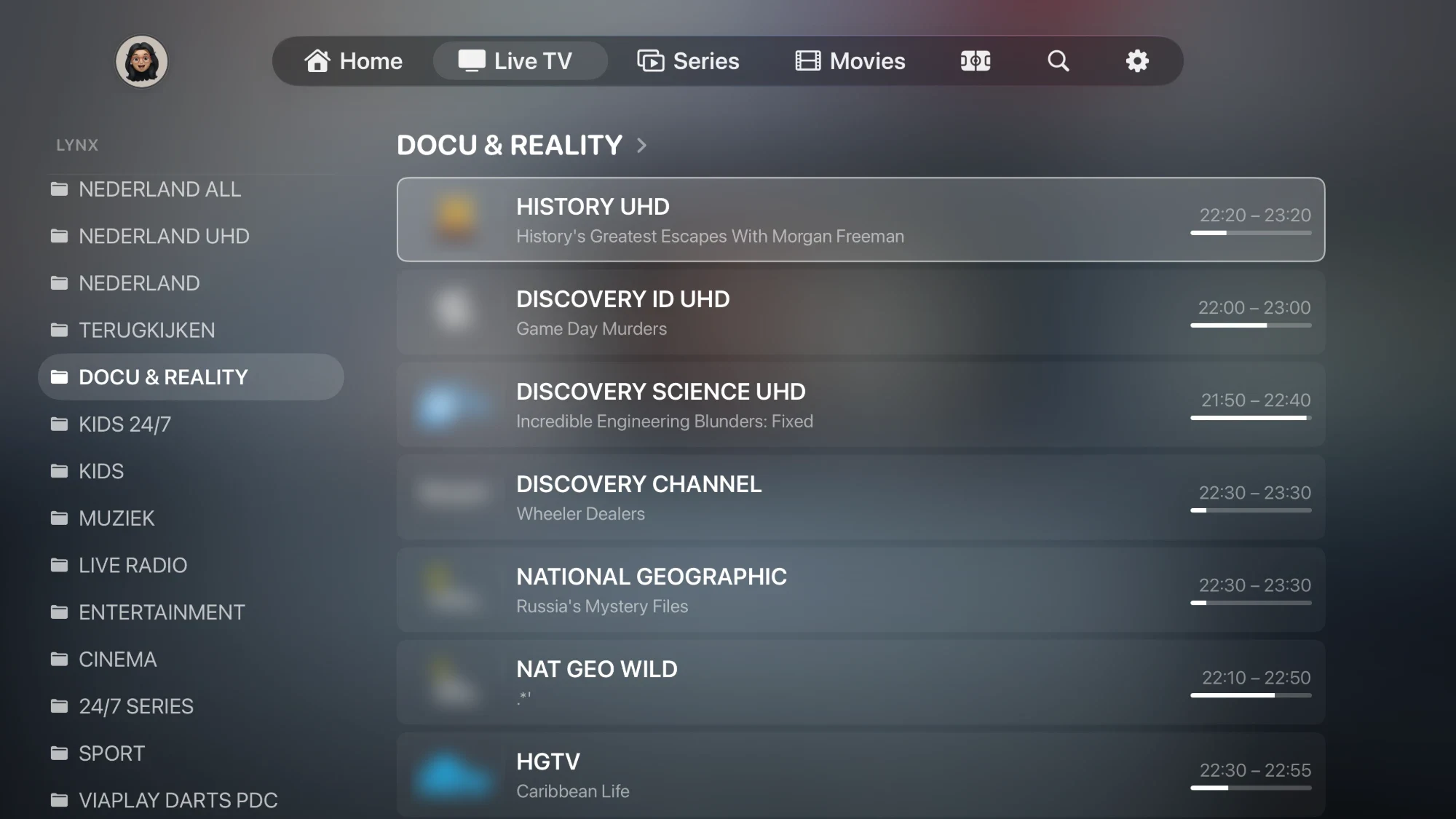
Every channel, instantly
Category folders, now & next programme info, favourites, catch-up and programme reminders — all a click away on the remote.
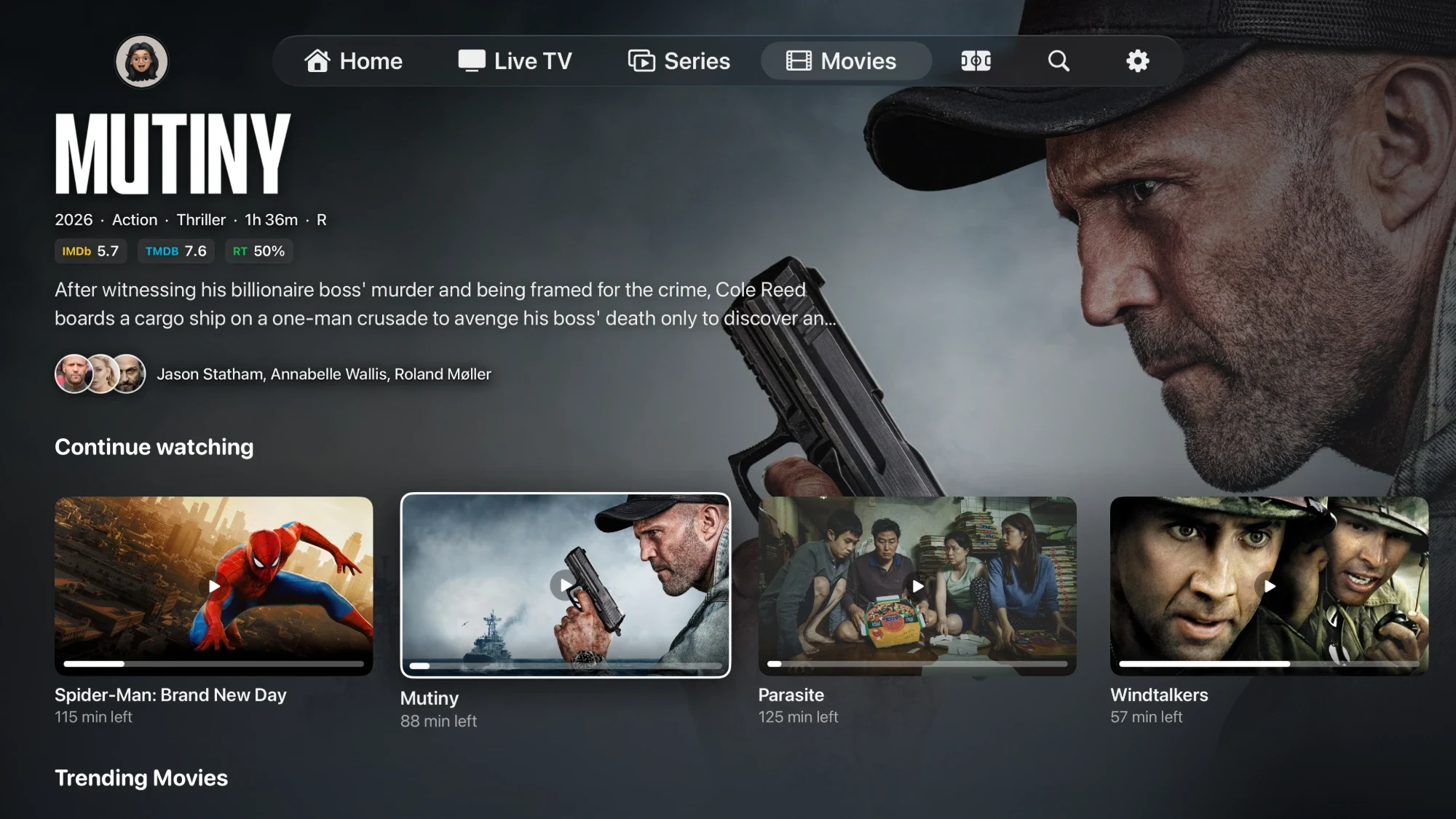
A library that feels premium
Detail pages with ratings, cast, trailers and streaming info. Track seasons and episodes, see what's trending, and resume exactly where you left off.
Four channels at once
Watch up to four live channels side by side in a 2×2 grid, switch the audio between them and open any one full screen with a single press.
Send it to the big screen
From iPhone or iPad, cast live TV, movies and series to your TV with AirPlay or Chromecast — subtitles included.
Cinema One
My Playlist · Movies
Arrange everything your way
Rename and reorder channels and categories, pin favourites to Start, hide what you don't use, choose your EPG sources and metadata language — and it all syncs through iCloud.
Widgets, made your way
Combine folders into widgets with their own name and image, then place them as a row on Home, Movies or Series.
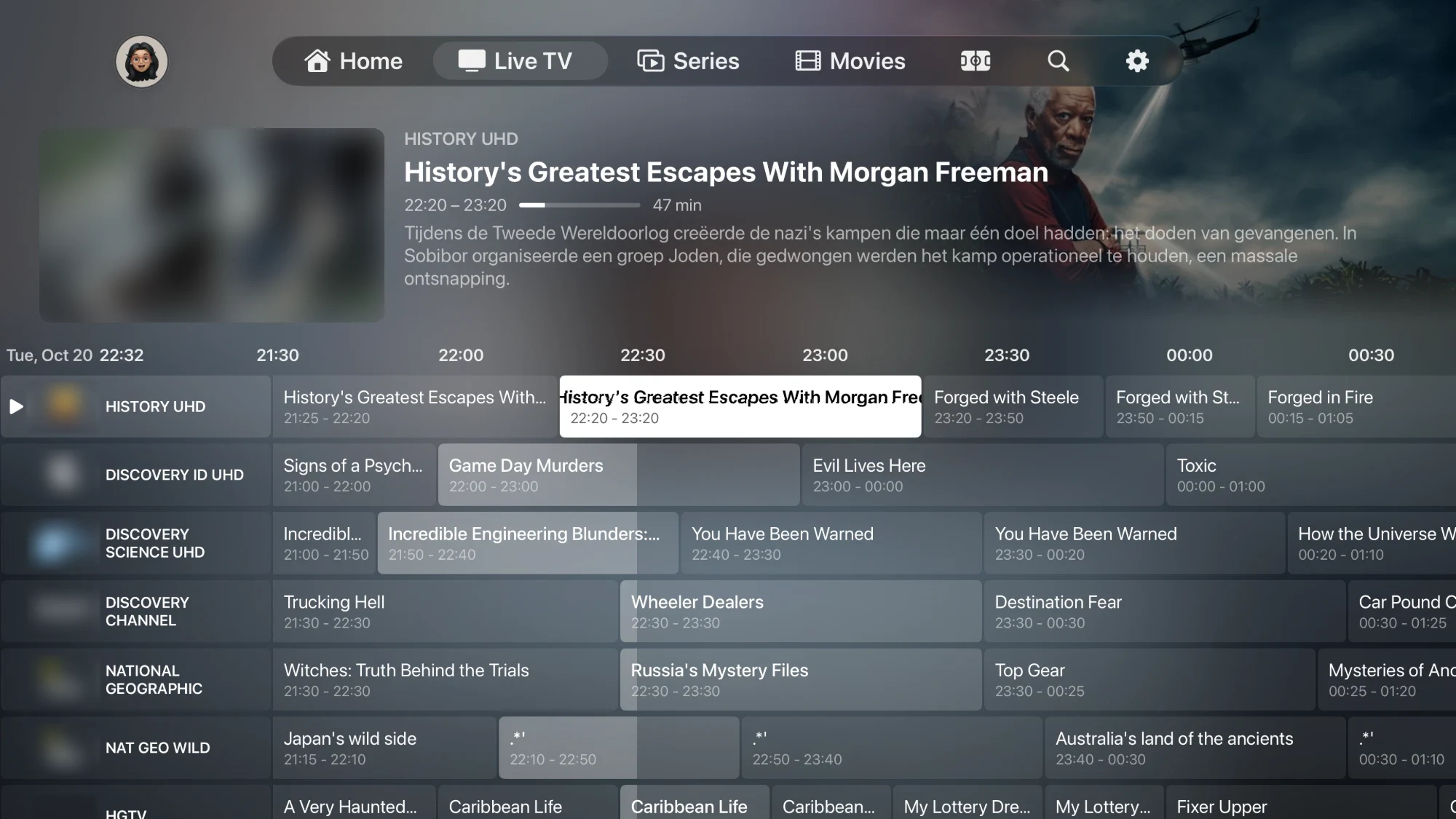
TV Guide
A full guide.
With live preview.
Scroll the timeline across every channel and see what's on now and next — while the selected channel keeps playing in a live preview. Set a reminder and NowSeen tells you when it starts.
Works with the tools you already use.
M3U & Xtream
Add the playlist your provider gives you, or several at once, and NowSeen merges them into one library.
Jellyfin · Silo
Plex, Emby, Jellyfin & Silo
Connect your own media server and browse its movies and series next to your live TV.
Trakt & Simkl
Sync watch progress and history across your devices, automatically and in the background.
MDBList
Bring in your MDBList lists as folders, right next to your own movies and series.
Request server
Missing a movie or series? Request it from its detail page, in HD or 4K, and your request server takes care of the rest.
Does NowSeen include any channels or content?
No. NowSeen is a media player only. It does not provide, host, or sell any TV channels, movies or series. You add your own playlist or media server.
Do you sell subscriptions?
Never. We do not sell subscriptions or content. NowSeen simply plays media you already have access to.
What do I need to use it?
An Apple TV, iPhone or iPad running a recent OS version, and your own compatible source: an M3U or Xtream playlist from your provider, or an Emby or Jellyfin server.
Is NowSeen free?
Live TV is free to watch. NowSeen Premium unlocks movies, series, casting and multiscreen, and one purchase covers Apple TV, iPhone and iPad.
Does it support UHD / 4K playback?
Yes, up to 4K with HDR
NowSeen plays UHD and HDR wherever your source stream and device allow, including HDR10, HLG and Dolby Vision.
Powered by AetherEngine
Under the hood NowSeen uses AetherEngine, an open source playback engine built on FFmpeg. It reads almost any stream or file your provider or media server sends, and then hands the picture to Apple's own video player. That is why 4K and HDR look the way they should on your Apple TV, and why live channels start fast.
Sound
Dolby Atmos is passed straight through to your receiver or soundbar, and lossless 7.1 audio plays as it is. Formats your Apple TV can't handle by itself are converted on the fly, so you always get sound.
Do I need Trakt, Simkl or WeTrakr to keep my watch status in sync?
Media server (Emby, Jellyfin, Plex)
No. NowSeen talks to your media server directly and keeps your watch status in sync both ways. You don't need a plugin or any extra service for that. I built this right into the app.
Watching through IPTV
If the same movie or episode is also on your media server, NowSeen passes your progress to the server as well. So even when you watch through IPTV, your server knows what you've seen.
Only on IPTV
Your progress is saved in NowSeen itself and shared between your Apple devices through iCloud. You only need a sync service if you also want that history outside NowSeen.
Which sync service should I pick?
Just pick one: Trakt, Simkl or WeTrakr. Connecting several at once isn't needed and only makes things more complicated.
How do I add my own lists to the homepage?
Connecting a list service
Go to Settings and connect your Trakt or MDBList account. Simkl and WeTrakr work too. Your lists then show up as folders in the Movies and Series sidebar, under their own heading.
Putting a list on Home
Long press that folder and choose “Add to Home”. It then becomes its own row on Home. You can change the order with the edit option at the bottom of Home.
Lists from someone else on MDBList
Want a list that keeps updating? Like it with the thumbs up on mdblist.com. A static copy never updates.
How do widgets work?
Where do I find them?
Widgets live inside groups. You set them up in Settings ▸ User Interface ▸ Groups.
Groups
A group shows up as a row with its name above it. You choose where it appears: Home, Movies and/or Series. Per group you can also pick the tile shape (wide, poster or square) and whether folder titles are shown.
Widgets
Inside a group you add widgets. A widget is a tile with its own name and image, and you can link one or more of your Movies and Series folders to it. Movies and series can be mixed. Opening a widget shows everything from those folders together in one grid, with a sort button.
Changing the order
To move a widget within a group, hold OK on the Apple TV or drag it on iPhone and iPad. On the Movies or Series overview you can long press a widget and choose “Move Group” to place the whole row where you want it.
My widget doesn't show on another device
If a widget uses a list from MDBList, Trakt, Simkl or WeTrakr, that service needs to be connected on each device. Your groups sync through iCloud, but these connections don't.